Vision Designer
Interior Design VR Application
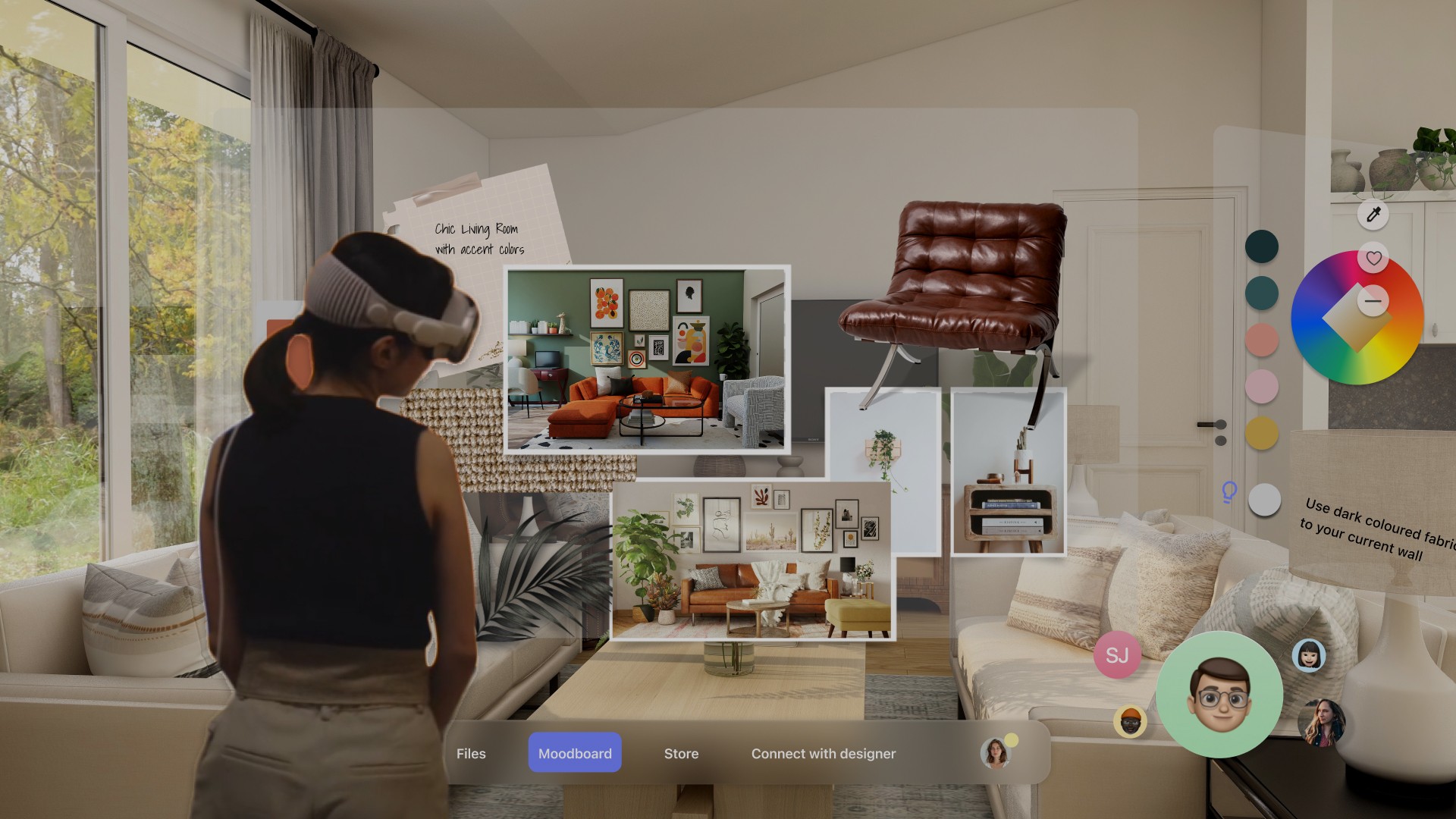
Visualize Your Space 2x Faster
Overview
Vision Designer is an all-in-one interior design platform that simplifies interior design for users overwhelmed by choices and visualization challenges. With features like curated furniture selections, personalized style quizzes, and collaborative tools, it streamlines the process, helping users bring their design visions to life effortlessly.
Awards
Indigo Award Gold 2025, UX Interface & Navigation (Vision Designer)
Indigo Award Gold 2025, Virtual Reality Design (Vision Designer)
Indigo Award Silver 2025, Interactive Design (Vision Designer)
Entelechy Awards 2025: Best Video Prototyping; Best Innovation (Vision Designer)
Rookies Award, Rookie of the Year (Immersive Media Vision Designer)
Role
Research
Research
Usability Testing
Affinity Map
UX Design
Prototyping
Team
4 Designers
Tool
Figma
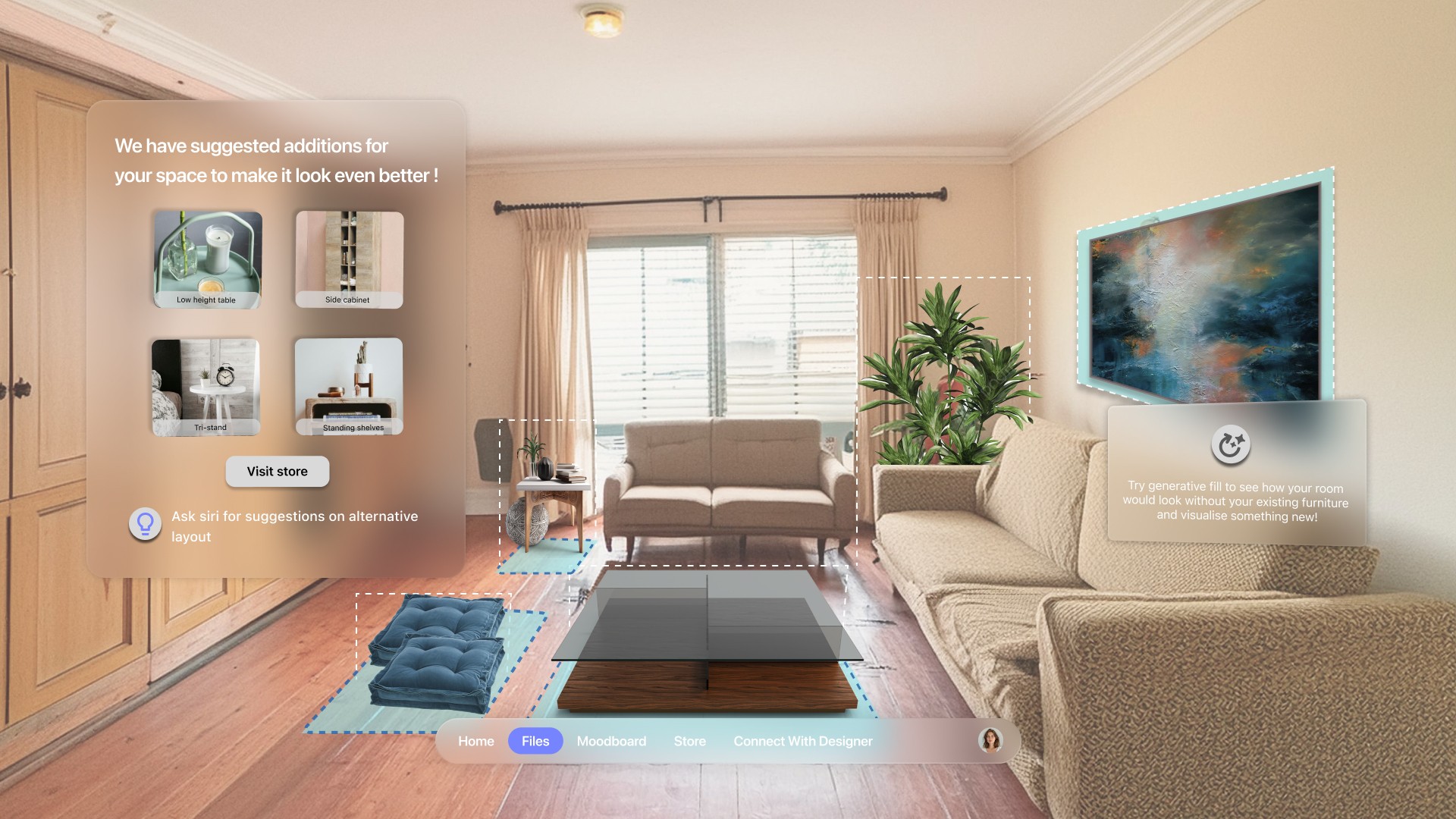
💫 Challenge
People feel overwhelmed by design choices and have difficulty visualizing how furniture will fit, leading to disjointed or impractical layouts. People find it difficult to stick to a budget while decorating their spaces.
✅ Solution
Our goal over 10 weeks was to simplify and streamline the interior design experience. We wanted to empower users to make choices with confidence while eliminating the hassle of costly mistakes.
Research
To identify the core challenges users face with home design tools, we conducted a series of user interviews and secondary research. Participants shared that they face choice paralysis, struggle with visualizing furniture placement, and have difficulty executing a cohesive aesthetic. These insights helped us define key usability problems
Decision Making
People feel overwhelmed by the sheer number of choices and struggle to find a cohesive vision for their space.
Spatial Planning
People find it difficult to visualize how furniture will fit and function in their spaces.
Style Inspiration
People struggle to find a design style that reflects their personality and translate that inspiration into their homes.
User Interview
Through user research and interviews with 10 people, we found out that they face a variety of challenges while decorating their homes, from a lack of design knowledge to practical limitations.
"I can never tell when I see a sofa online if it will actually fit right or look good in my room"
"It would be amazing if I could stand in my space and see how different styles look. Like trying before buying."
"Budget is a huge factor for me I want something stylish but still realistic for what I can afford"



Market Research
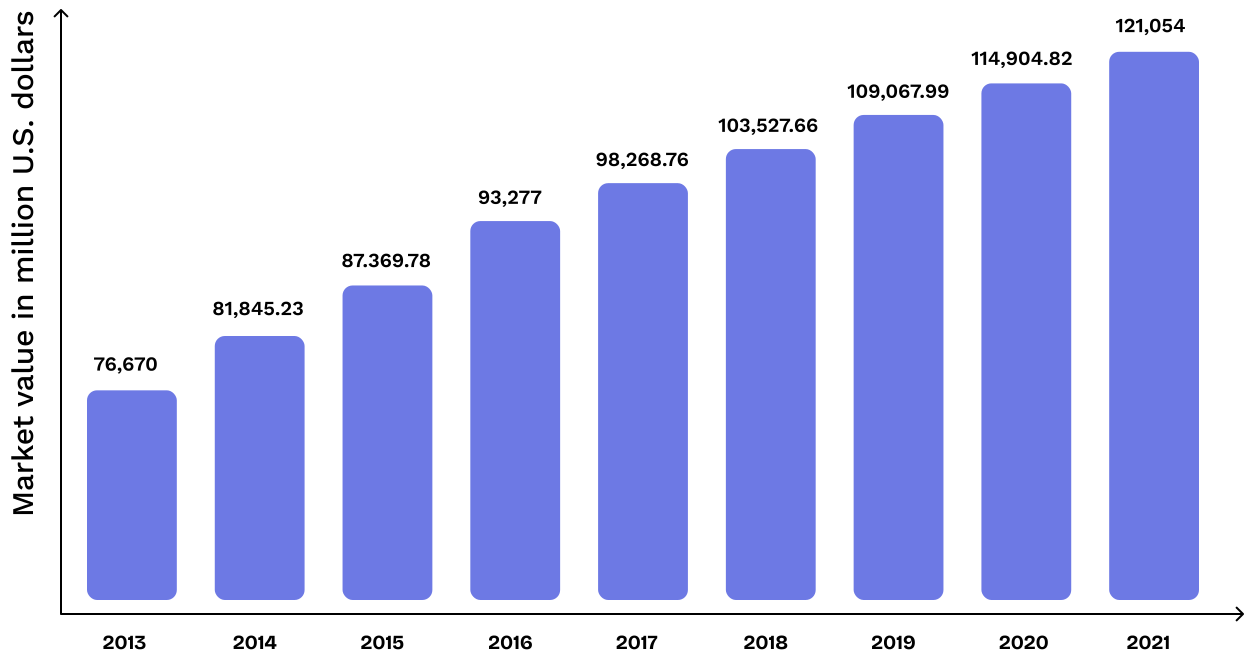
In 2024, the revenue in the Home Décor market Segment worldwide amounts to an impressive $133.60 billion.
This market is projected to experience steady growth, with an annual increase of 3.89% (CAGR 2024-2029).
Source: Statista
Define
Problem Statement
People face a variety of challenges while decorating their homes, from a lack of design knowledge to practical limitations. They also struggle to evaluate whether the spaces are conducive to their personal lifestyles.
Cost Effective
Immersive
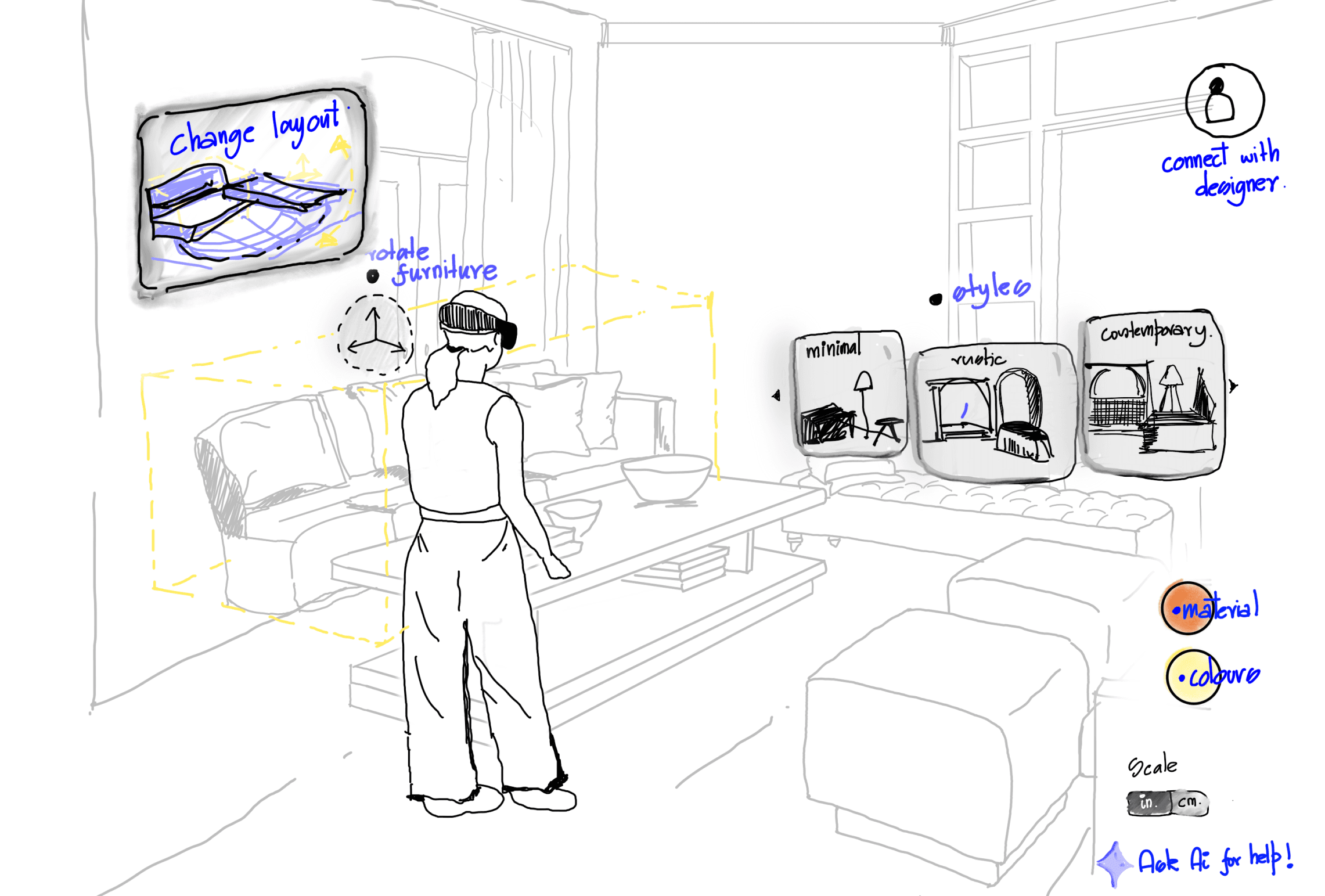
3D Layouts
Spot Imperfections
LiDAR Scanner
Apple Vision Pro
Gesture Controls
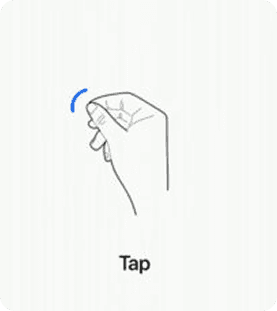
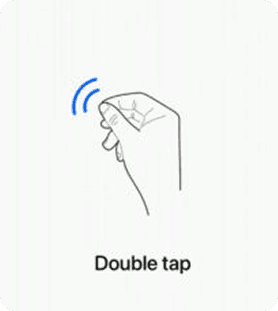
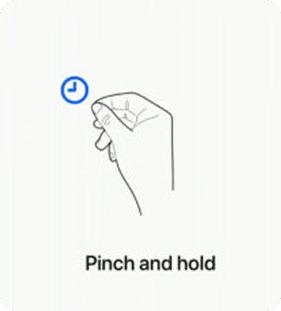
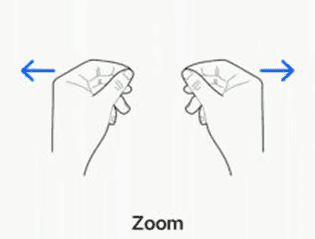
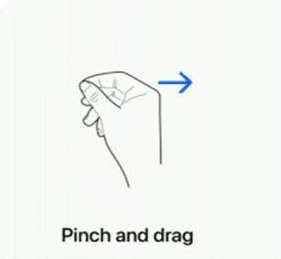
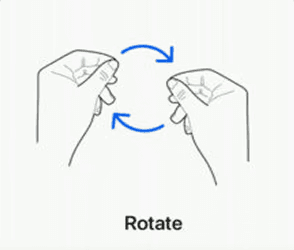
Technology and Functions:
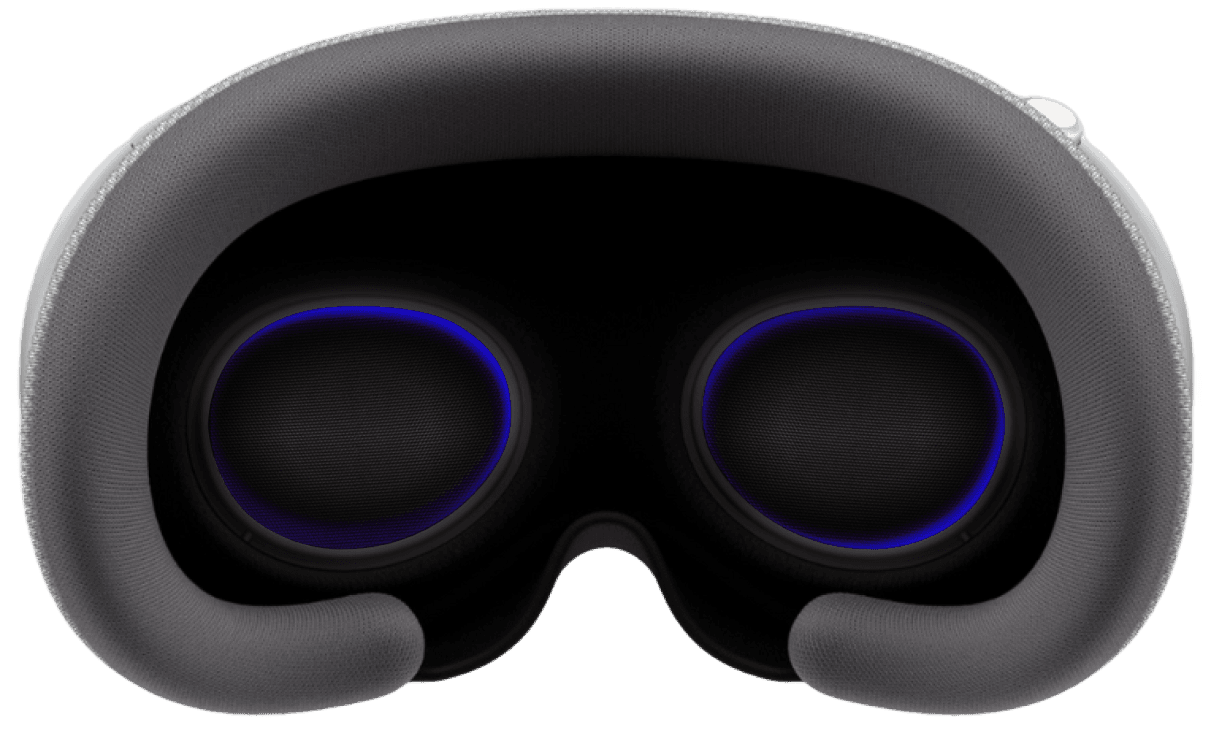
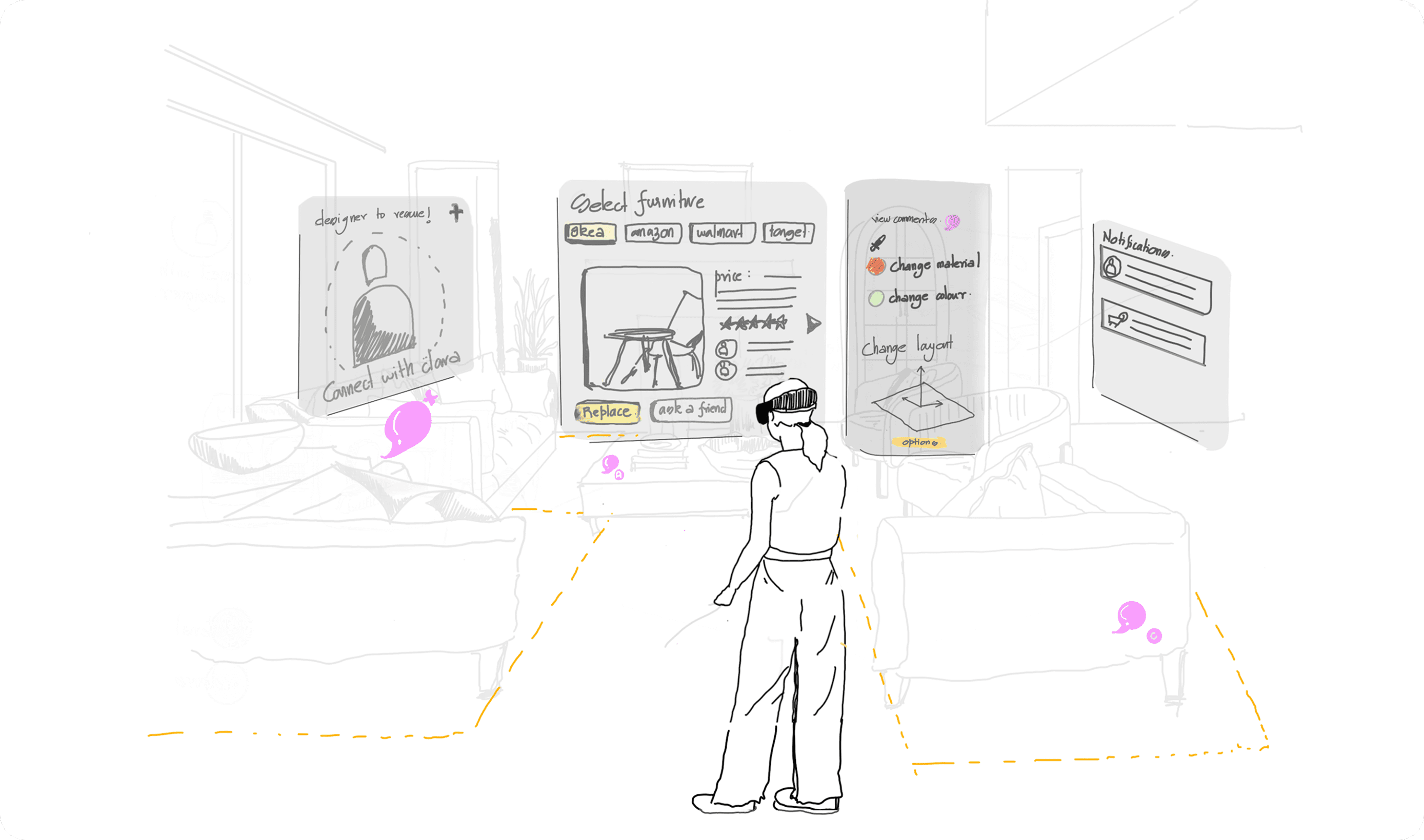
To tackle the user needs of layouts, scale, and immersive design, the inclusion of AR/VR was essential, and the Apple Vision Pro was the ideal platform. The Vision Pro has an impressive list of features, including spatial computing, crisp visuals, and intuitive gestures.
Gestures:
Ideate
Interior Design and VR:
65% of homeowners surveyed believe that VR tours contribute to a better understanding of property layout.
- Fingent.com
According to a 2024 survey, around 77% of buyers found immersive experiences like 3D tours highly beneficial in decision-making.
- National Association of Realtors
The AR/VR market is projected to be $1.6 trillion by 2025, especially related to real estate sectors, citing increased use of 3D visualization tools.
- Goldman Sachs, MoldStud.com
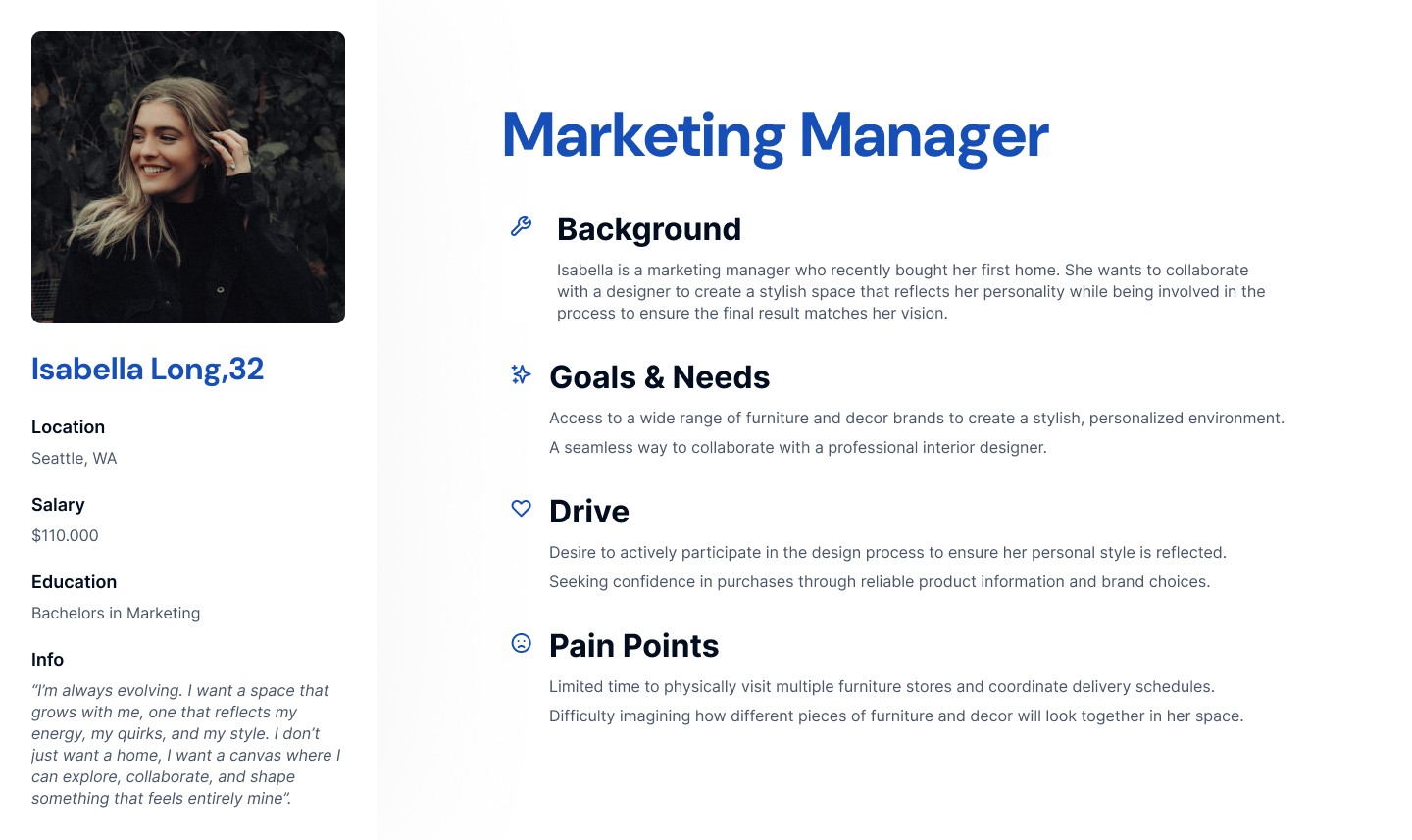
Persona
User Flow
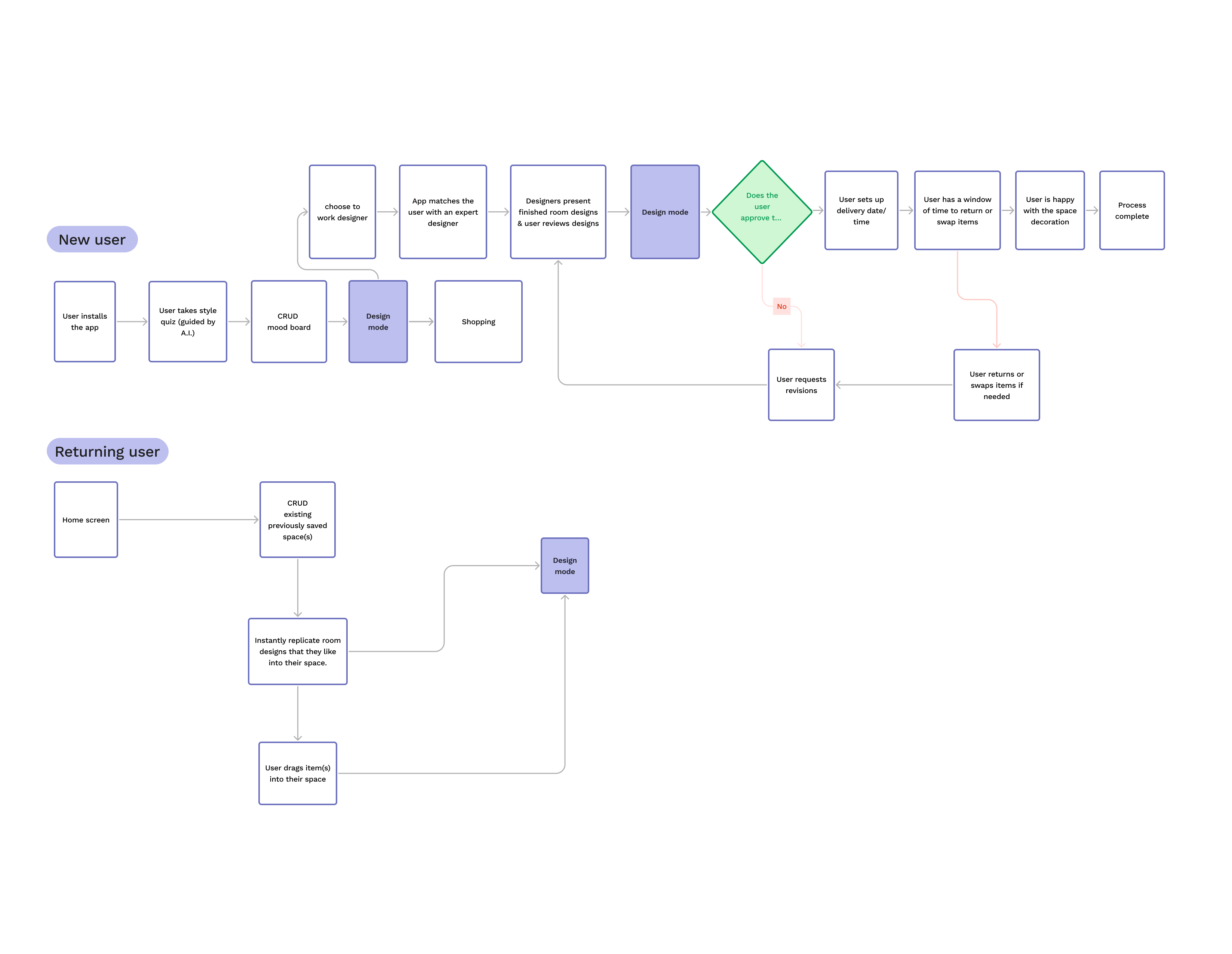
Navigation and structure:
Mapping the complete user journey was essential for gaining a deep understanding of each stage from onboarding through to purchase and post-purchase interactions.
This process helped us to:
Detect experience gaps, such as transitions that weren’t clearly defined between design and shopping phases.
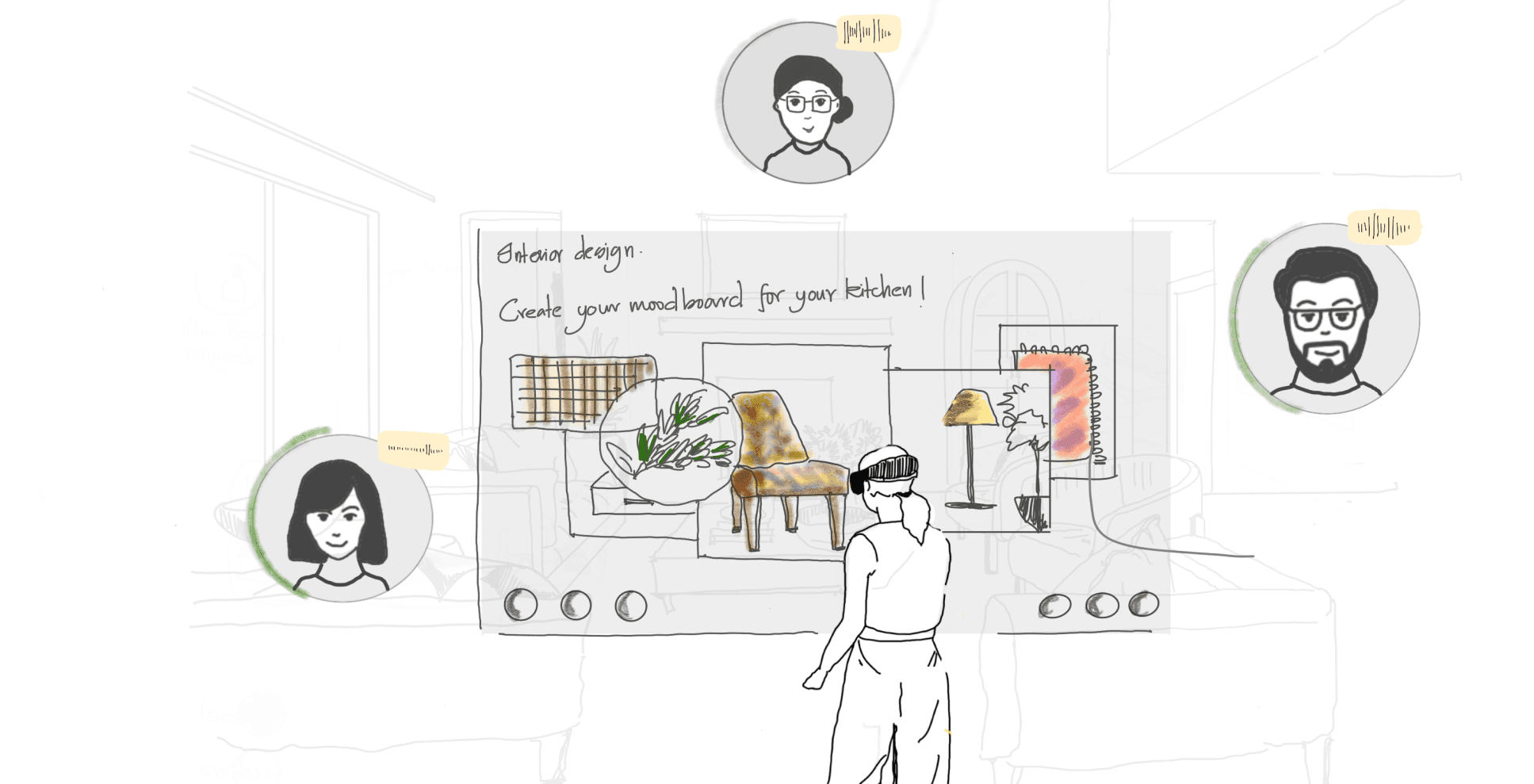
Visualize user intentions throughout the journey, allowing us to prioritize key interactions like the AI quiz, moodboard creation, and AR product placement.
Eliminate redundant steps to streamline the process, improving efficiency and minimizing friction.
Unite cross-functional teams, including design, content, and technology, around a shared understanding of the user experience.
ideation
Testing
10
Testers
76.76%
Completion Rate
15.63s
Avg. Time Taken
79
SUS Score
Think Aloud
Participants: 10 graduate design students familiar with Figma and AR/VR concepts
Platform: MacBook prototype (interactive Figma)
Goal: Capture real-time thoughts to identify cognitive load, frustrations and moments of clarity
Observation
% of Participants
Insights
Tried clicking outside the room area to deselect
40
Indicates a mismatch between the expected and actual interaction model (users expected global click-outs to work).
Misunderstood 'Save vs Export'
70
Users said, “Wait, does save mean it downloads?” or clicked both buttons to figure it out.
Expressed delight in the visual realism of furniture available
80
Phrases included “That looks so real!” or “This is so satisfying.” Shows emotional connection with photorealism.
Confused about object manipulation (rotate/scale)
60
Users verbalized things like “Where do I rotate this and how?” or “Oh, this doesn’t work how I thought it would.”
Paused or hesitated before switching layouts
50
Users said “I’m not sure where to change the room” or hovered on icons silently before clicking.
💡 Takeaway: While users appreciated visual aesthetics, they struggled with feature discoverability and control affordances. These insights helped refine labels, gestures, and button hierarchy.
Task-Based Usability Test:
Ask users to perform key tasks, such as selecting furniture, placing objects, or adjusting lighting within the app.
Metrics: Task completion rate, error rate, time on task, and user frustration points.
Task
Goal
Success Rate
%
Time Taken
in sec
Key Issues
Fixes
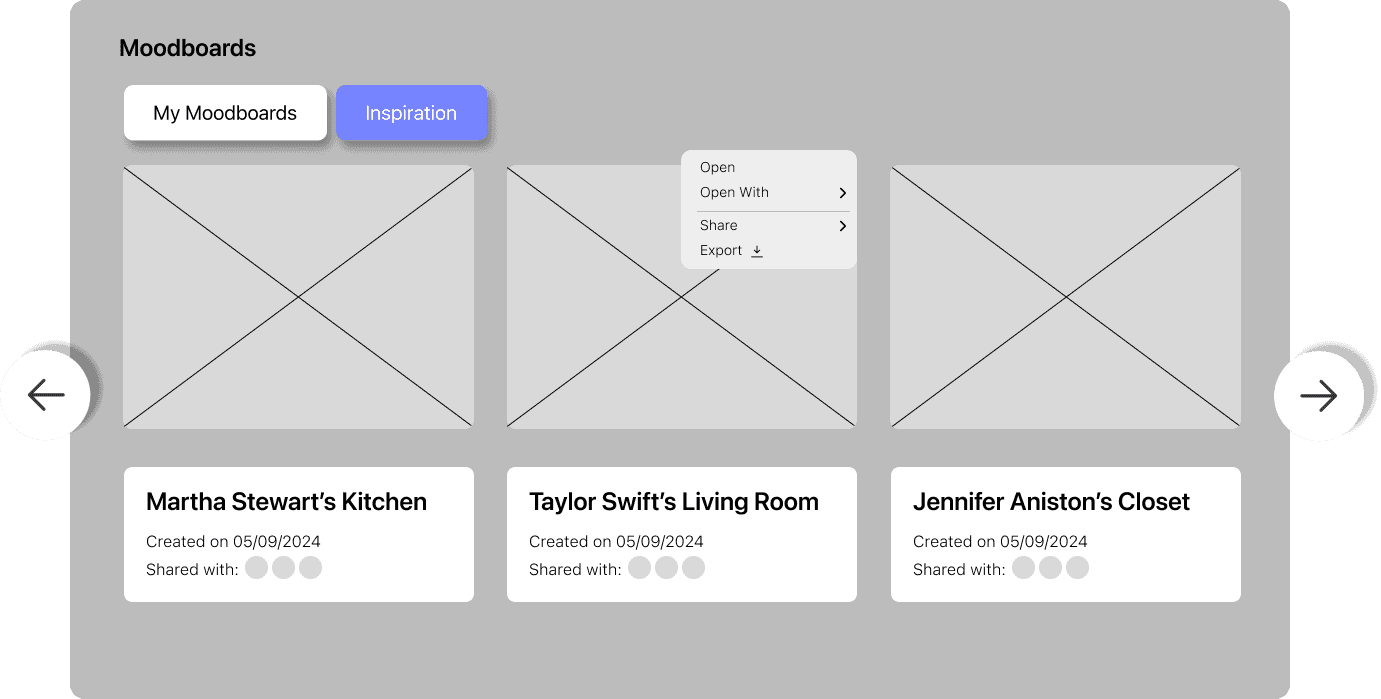
Navigating to the Inspiration section
Locate and access the inspiration section for guidance.
55
27.3
Locate and access the inspiration section for guidance.
Moved it to the main navigation bar as 'Moodboard'
Switching Between Different Room Layouts
Change from one preset room layout to another
90
7.2
Users overlooked the tabs in the navbar
Highlighted active tabs and added a
micro-interaction when switching layouts
Selecting and Placing a Furniture Item
Successfully select and position a furniture piece within a room.
85
12.4
Users expected to drag and drop, but initially clicked it instead.
Made drag interaction more visually prominent.
💡 Takeaways:
Drag-and-drop needed better affordances to match user expectations.
Rotation and scaling controls needed clearer UI elements to avoid confusion.
Navigation tabs lacked visibility, causing hesitation when switching layouts.
Saving/exporting labels needed to be more intuitive to differentiate functions.
Section placement impacted discoverability and required repositioning.
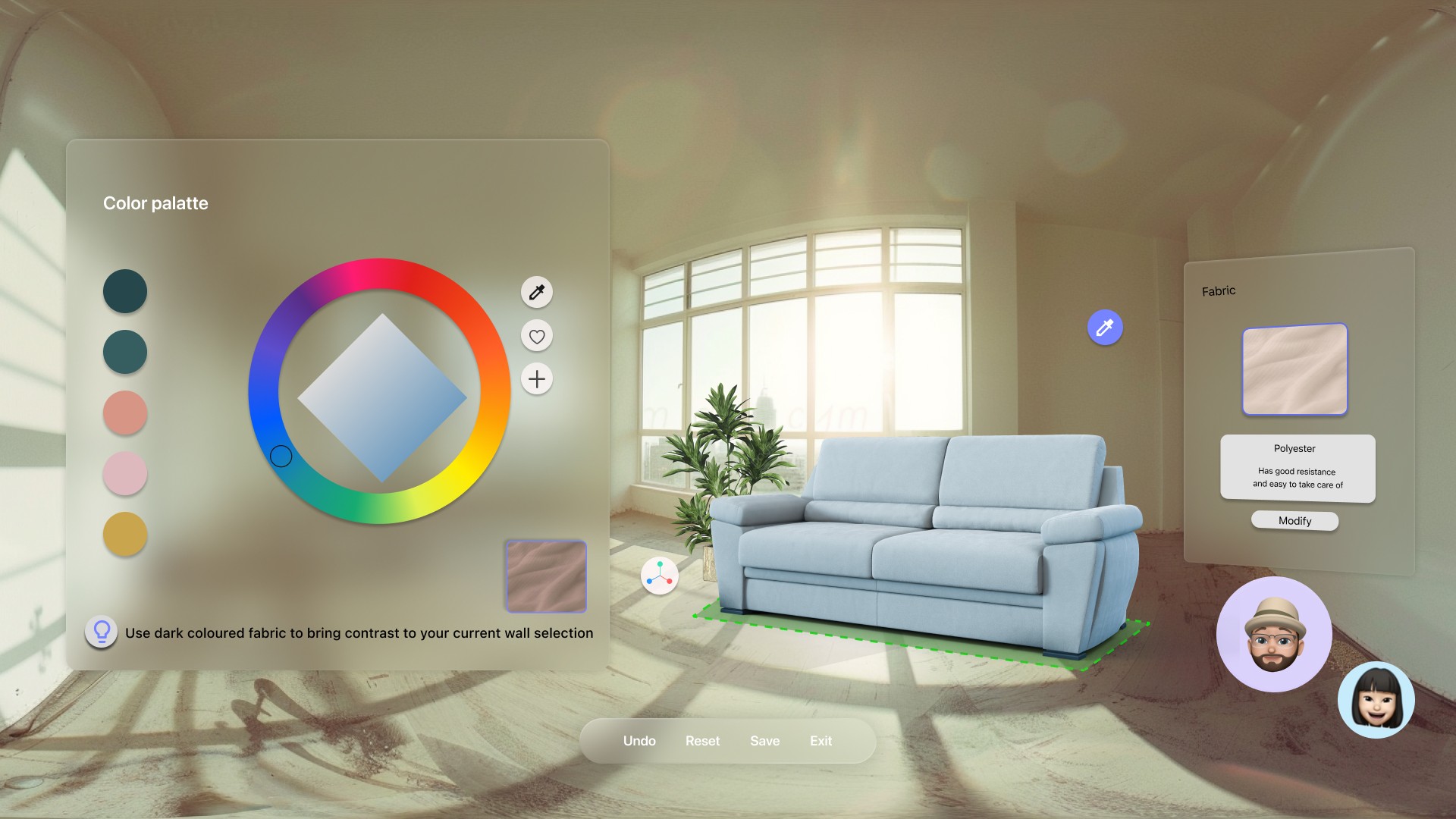
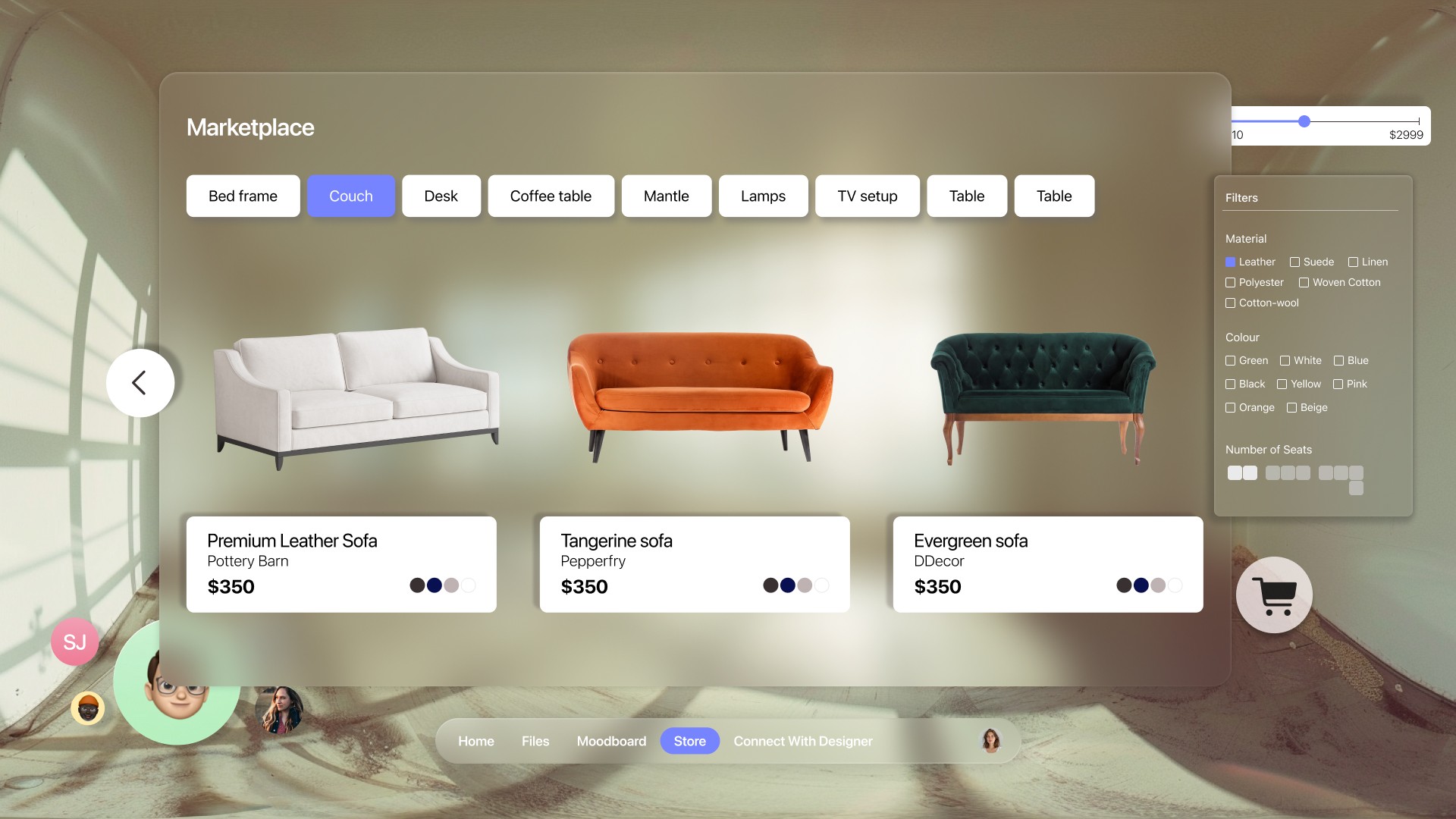
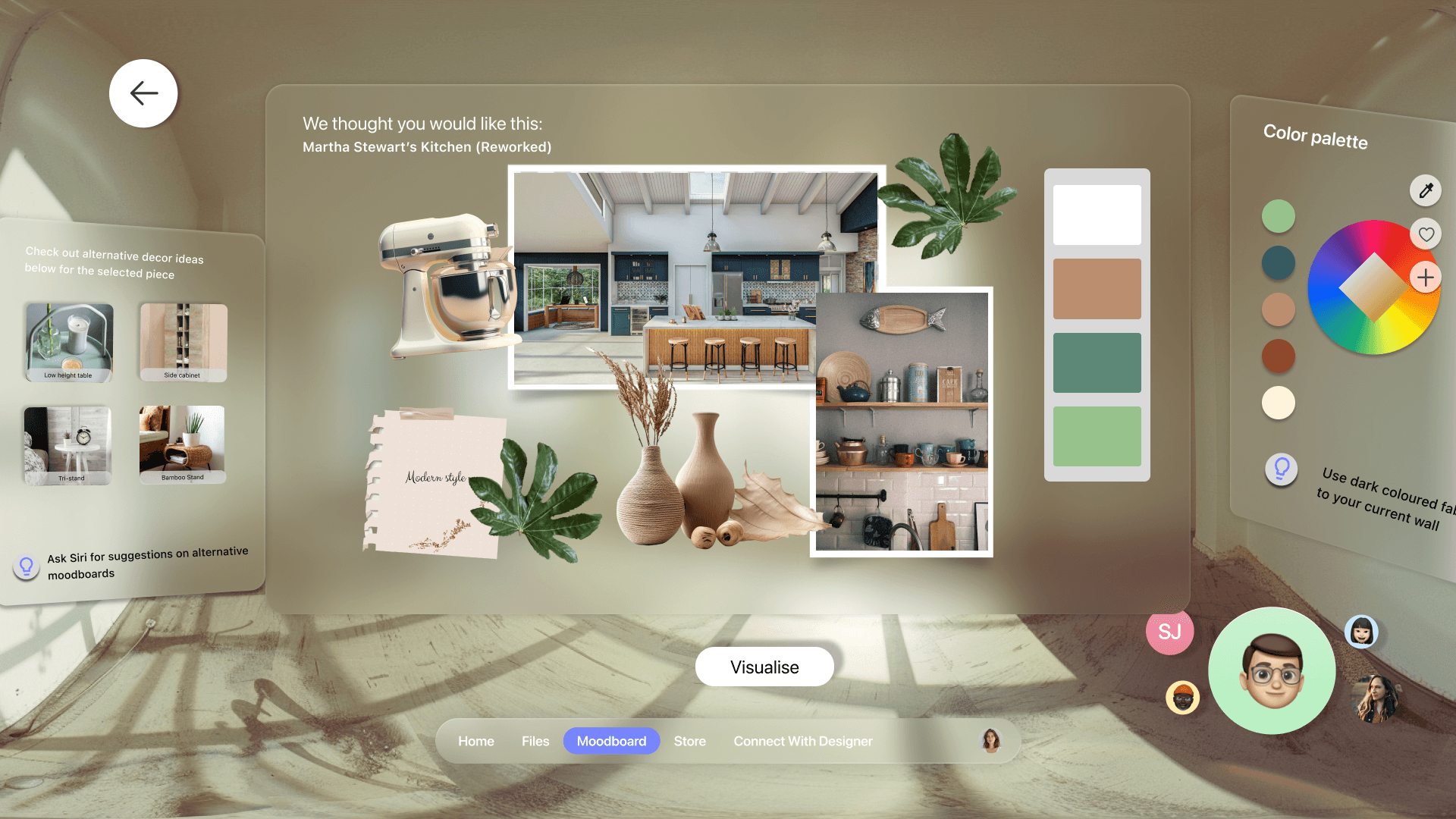
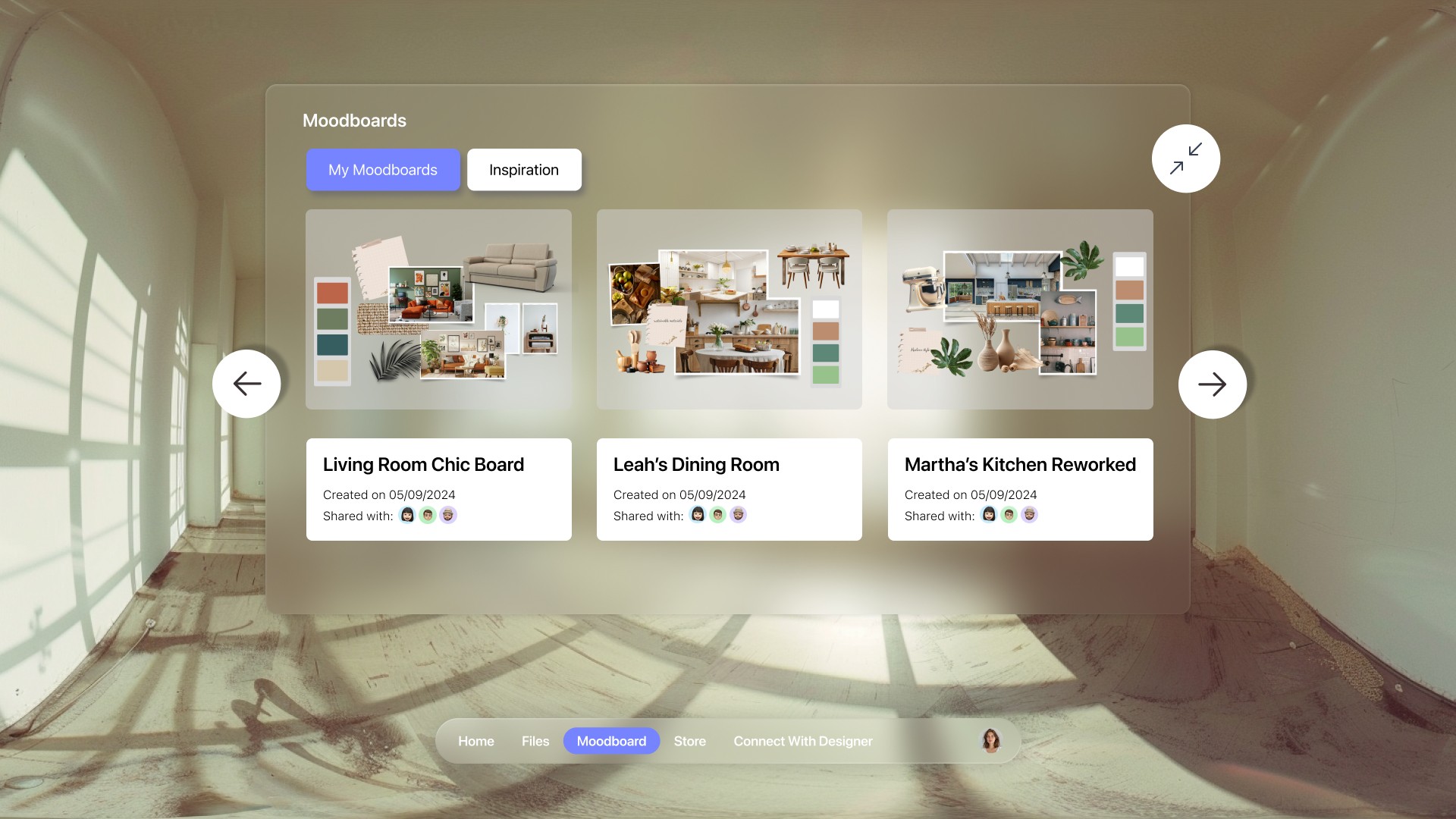
Final Solution
Key Learnings
XR/VR Design
Explored the concept of affordances in XR/VR, such as visual cues and haptic feedback.
XR/VR Design
Explored the concept of affordances in XR/VR, such as visual cues and haptic feedback.
Iterative Design Pays Off
Learned to create and manipulate 3D assets to improve the VR experience.
Iterative Design Pays Off
Learned to create and manipulate 3D assets to improve the VR experience.
IOS Gestures
Leveraged the potential of Apple Vision Pros gestures to enhance user experiences in VR.
IOS Gestures
Leveraged the potential of Apple Vision Pros gestures to enhance user experiences in VR.